Shoebox to Storybook Get the kit · US$29
The Family Story Kit

Every old photo has a story. Write it down while someone still remembers.

Shoebox to Storybook shows you what to ask, how to keep track of what you hear, and how to turn photos and stories into a family book. Start with one photo this week.

One paymentInstant downloadUS Letter and A4Nothing is shipped
The method

One photo. Five questions. One page.

That’s the whole idea. Do it twelve times and you have the first edition of your family storybook, with a timeline and a who’s who at the back.

1

Choose one photo

From the box, the album or the drawer. A cheerful, ordinary photo is the best place to start.

1Who’s here?
2Where and when?
3What was going on?
4What’s outside the frame?
5Why keep it?
2

Ask five questions

Of a parent, a grandparent, an old family friend, or yourself. Jot the answers on a Photo Story Sheet.

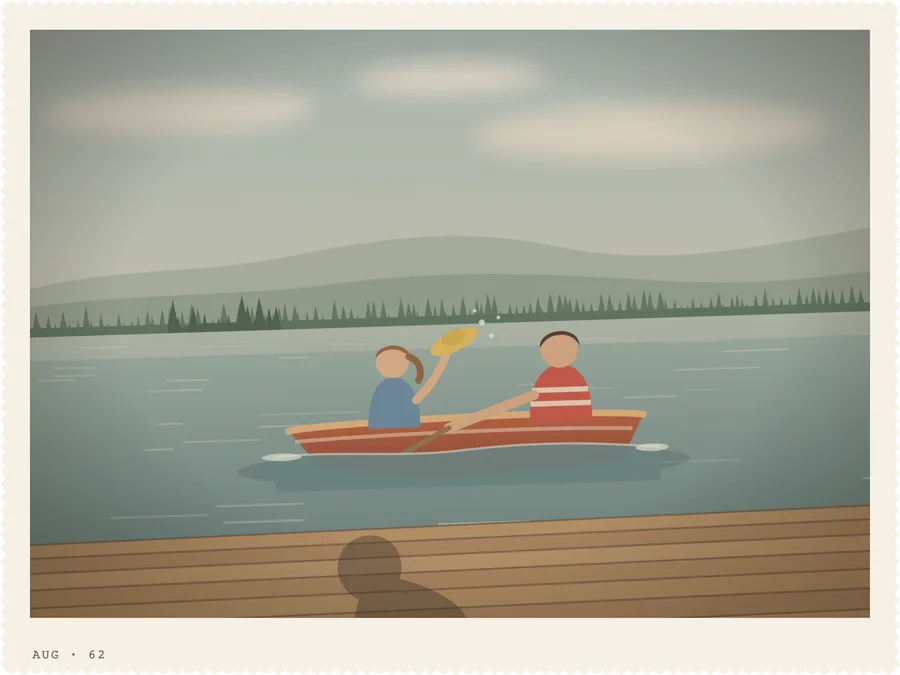
A finished story page made with the Story Page Maker: a lake photo, a caption, the title “The summer the boat sank” and the story.
3

Make one page

A short story with its photo and caption, written by hand on a template or laid out by the Story Page Maker.

Most people can make a page in one sitting of about an hour. Twelve pages = a book.

Free · try it tonight

The five photo questions

Pick up any old photo and ask these, in order. They’re the heart of the kit, and they’re yours to use whether or not you buy anything.

  1. Who’s here?

    Names, nicknames and how everyone is related. And who was behind the camera?

    Then try“What was she (or he) like back then?” · “Who is missing from this picture?”

  2. Where and when?

    The place, the year, the season. A best guess is fine. Just add a question mark.

    Then try“What makes you think it was then?” · “What else was happening in your life that year?”

  3. What was going on?

    The occasion, the day, and what happened just before the picture was taken.

    Then try“Whose idea was this?” · “Why was everyone there?”

  4. What’s outside the frame?

    What the photo doesn’t show: the sounds, the smells, the weather, who was standing just out of sight.

    Then try“What could you hear?” · “What happened right after?”

  5. Why keep it?

    What this moment means now, and what someone in the family should know about it a hundred years from now.

    Then try“What would you want a great-grandchild to know?” · “Is there a word or saying that goes with this picture?”

What’s inside

Everything you need, from the shoebox to the finished book

These are real pages from the kit. Select any of them to look closer.

PDF · 45 pages

The Guide

The method in plain language, start to finish. Make your first page in the first few pages, then dip in as you need it.

  • How to invite a storyteller, and what to say when they think they have no stories
  • 114 questions in 12 themes, from childhood homes to recipes
  • Labeling, storing and scanning old photos
  • Writing a page in the teller’s own words, then printing and sharing the book

6 sample pages · select to enlarge

PDF · 30 pages

Printable Pages & Question Cards

The tools that keep a family project organized, designed to print at home again and again.

  • Photo Story Sheets, Interview Notes and a Storyteller’s Wishes page
  • Story Log, Photo Log, Family Timeline, Who’s Who and Places
  • Handwritten story page templates and a Book Plan
  • 54 cut-out question cards for family gatherings, plus blank ones

5 sample pages · select to enlarge

Opens in your web browser

The Story Page Maker

Type a story, add a scanned photo, and it lays out a finished page for you. Print at home, or save a PDF to send to relatives or a print shop.

  • Photo stories, recipes, chapter pages, a timeline and a who’s who
  • Long stories continue onto the next page by themselves
  • Print a family edition without the pages marked private
  • Works offline. No account, and nothing is uploaded

Pages from the example book · select to enlarge

How it works

The three things nobody tells you how to do

“I want to save our stories, but I don’t know what to ask, how to organize the answers, or how to turn it all into something we can keep.” The kit takes each one in turn.

1

Ask

What to ask, and how to ask so people tell stories instead of reciting facts.

  • Invitations that feel like a visit, not an interview
  • Recording with a phone, with permission
  • Follow-ups that open a story up
2

Organize

Simple ways to keep track of stories, photos, people and dates, without a filing system.

  • One numbering system for stories and photos
  • Safe photo labeling and copies in two places
  • A timeline that sorts out the dates
3

Keep

Turn notes into story pages, then plan, print and share the book.

  • Writing in the teller’s own words
  • A ring binder, a print shop or a hardcover
  • A family edition and a complete edition
A worked example

From scribbled notes to a page worth keeping

Claire asked her mother about an old lake photo, using the five questions. Her notes went on a Photo Story Sheet. Here’s what they became.

Before: notes on a Photo Story Sheet
After: the finished page, in Ruth’s own words

The Hale and Anders families are fictional, invented to show the method. The “photos” are illustrations.

With care

Your family’s stories stay yours

Memories can be tender, and families are complicated. The kit is built so the storyteller stays in charge.

Anyone can pass

Every conversation starts with “you can skip anything.” There are Pass cards in the question deck, and a gentle chapter on hard memories and memory loss.

Honest about guesses

Four simple marks keep what you know apart from what you think, so future readers can trust the book.

?aboutFamily storyTwo versions

You choose who sees what

Mark every story, then print a family edition that leaves out anything not for sharing.

Nothing is uploaded

The Story Page Maker runs on your own computer, with no account and no internet connection needed. Your photos never leave your computer.

Their words, not a machine’s

The guide shows you how to keep the teller’s own words, and what to watch for if you use transcription or AI tools.

Who it’s for

Made for the family’s keeper of stories

  • You’re the one who ended up with the photo box, and you’d like the names and stories to stay with the pictures.
  • Your parents or grandparents are still here to ask, and you want to do it now, in a way that feels like a visit.
  • You’re the storyteller. You want your grandchildren to know what life was like, in your own words.
  • You’ve traced the family tree and have the dates. Now you want the stories that go with them.

Probably not for you if…

  • You’d rather someone else did the interviewing and writing. A personal historian or a memoir service may suit you better.
  • You only use a phone or tablet. The printable pages work anywhere you can print, but the Story Page Maker needs a computer.
  • You want a fill-in-the-blanks journal to post to a relative. This kit is for having the conversations together.
Shoebox to Storybook
The Family Story Kit · digital download
US$29one payment, in US dollars
  • PDF
    The Guide45 pages · US Letter and A4 versions
  • PDF
    Printable Pages & Question Cards30 pages · US Letter and A4 versions
  • HTML
    Story Page MakerOpens in your web browser on a computer · works offline
Get the kit — US$29
30-day refund. If it isn’t right for you, ask for a full refund within 30 days of purchase by replying to your Gumroad receipt email. You don’t need to explain or return anything.

Secure checkout on Gumroad. Gumroad may show the price in your local currency (you can switch back to US dollars) and adds any sales tax or VAT that applies where you live. A tip field at checkout is optional.

Buying for someone else? Choose “Give as a gift” at checkout and enter their email address.

After you buy

What happens next

  1. Check out on Gumroad.Gumroad handles the payment and the receipt.
  2. Your download page opens straight away.A receipt with the same download link arrives by email.
  3. Save the files to your computer.Open the Guide first; your first page starts on page 5.
  4. Download again whenever you need to.Use the link in your receipt. Lost it? Email us and we’ll resend it.

What you’ll need

For the PDFs
Any computer, tablet or phone that opens PDFs, and a printer if you want paper copies.
Story Page Maker
A Windows computer, Mac or Chromebook with a current version of Chrome, Edge, Safari or Firefox. Not designed for phones or tablets.
Photos
Scans or phone photos of your prints, as JPEG or PNG files.
Questions

Good questions, plain answers

Is this a physical book?

No. It’s a digital kit: PDFs you print at home (or at a print shop) and a Story Page Maker that runs in your web browser. Nothing is shipped. What you make with it can become a printed book.

What exactly do I get?

The Guide (45 pages), the Printable Pages & Question Cards (30 pages), each in US Letter and A4, and the Story Page Maker, a single file that opens in your browser.

I’m not a writer. Will I manage?

Yes. You’re collecting stories, not writing a novel. Each page is short, about what you’d say telling the story over dinner, and the guide walks you through a complete example before you start.

Do I have to print everything?

No. Print pages one at a time as you need them. Many people print a few Photo Story Sheets and the question cards, and do the rest in the Story Page Maker.

Do I need a computer?

For the PDFs, no: any device that opens PDFs will do, plus a printer for paper copies. The Story Page Maker needs a Windows computer, Mac or Chromebook with a current version of Chrome, Edge, Safari or Firefox. It isn’t designed for phones or tablets.

Will my photos or stories be uploaded anywhere?

No. The Story Page Maker works on your own computer, without an internet connection or an account. Your work is kept in your browser on that computer, and you can save a backup file whenever you like. The kit itself never asks you to upload anything.

My parent’s memory isn’t what it was. Is this still a good idea?

Often, yes. Many people with memory problems can still share memories from long ago, especially with photos to help. The guide has a short, gentle section on keeping visits short, not quizzing and enjoying the time together. It isn’t medical advice; their care team may have suggestions too.

How long does it take?

Most people can make a page in one sitting of about an hour. The guide suggests aiming for twelve stories for a first edition, which is a few weekends of work spread over as long as you like.

Can I share the kit with my brothers and sisters?

For personal and family use. Print as many copies as your family needs. Please don’t resell the kit or post the files publicly. Working on one family’s book together is exactly what it’s for. The free Photo Story Starter can be shared with anyone.

Can I give it as a gift?

Yes. At checkout, choose “Give as a gift” and enter the recipient’s email address. They’ll receive the download link.

How do refunds work?

If the kit isn’t right for you, ask for a full refund within 30 days of purchase by replying to your Gumroad receipt email. You don’t need to explain or return anything. Refunds are made through Gumroad to your original payment method.

Was this made with AI?

Partly, and we’d rather say so. The instructions, questions and example pages were written and designed with the help of AI tools, then reviewed and edited. The example family is fictional. The Story Page Maker doesn’t use AI, and the stories you add are yours alone.

How do I get help?

Reply to your Gumroad receipt email. If a file won’t download or open, we’ll help or resend it.

Start this week

One photo. Five questions. One page.

Start with one photo this week. Your first page takes about an hour.